


That is what ERP supply chain management is for. But "automate everything" is bad advice. Some processes repay automation within months. Others are judgement calls that a system should inform, not make. Here is how we'd draw the line, based on the implementations we run for SME and mid-market businesses across the GCC.
Automate first: the high-volume, low-judgement work
Start where the rules are already clear and the volume is high. These are the processes where an ERP solution earns its keep fastest:
Purchase order creation and approval routing. If a reorder point is breached and the supplier, price, and quantity logic are known, the system should raise the PO and route it for approval. Your buyers should spend their time negotiating, not typing.
Stock replenishment triggers. Minimum and maximum levels, lead times, and reorder quantities are arithmetic. Let the system do arithmetic. Sage X3, for example, ties demand planning, orders, and forecasts to purchasing and material management in one flow, so a replenishment signal doesn't die in someone's inbox.
Goods receipt and three-way matching. Matching a PO to a goods receipt note to a supplier invoice is exactly the kind of task people do slowly and systems do instantly. Automating it also closes the gap where duplicate or incorrect invoices slip through.
Batch and lot traceability. If you manufacture or distribute anything with an expiry date or a compliance requirement, forward and backward traceability should be recorded by the system as goods move, not reconstructed from paperwork when an auditor or a recall demands it.
Inter-site stock transfers. If you run more than one warehouse or legal entity, transfers should post automatically on both sides. Manual mirroring is where inventory accuracy goes to die.
Automate carefully: where the system should recommend, not decide
Demand forecasting. A good ERP will generate a statistical forecast from sales history. Useful. But in this region, demand often turns on things no algorithm sees coming: Ramadan timing, a single large project order, a customer's own cash position. Treat the system's forecast as the starting point your planners adjust, not gospel.
Supplier selection. The system can score suppliers on price, lead time, and delivery performance. It should not be allowed to quietly switch a strategic supplier because someone else was two per cent cheaper last quarter. Relationships carry real value here, and your commercial team knows things the data doesn't.
Safety stock levels. Formulas help, but they assume stable lead times. Anyone who has shipped goods through the Gulf in the past few years knows lead times are not always stable. Review these settings quarterly rather than setting and forgetting.
Integrate: where the real efficiency hides
Automation inside one department is a modest win. The larger gains come from business process integration, meaning the supply chain, finance, and sales working from one set of numbers.
In practice, that looks like:
- A confirmed sales order that immediately checks stock, reserves it, and updates the production or purchasing plan.
- A goods receipt that updates inventory value in the general ledger the moment it's posted, so finance isn't waiting for month-end to know what the company holds.
- Landed cost (freight, duty, insurance) captured against inventory as it arrives, so margins reflect reality rather than the supplier invoice alone.
If your ERP and your finance system are separate products stitched together with exports, you don't have integration. You have a faster version of the spreadsheet problem.
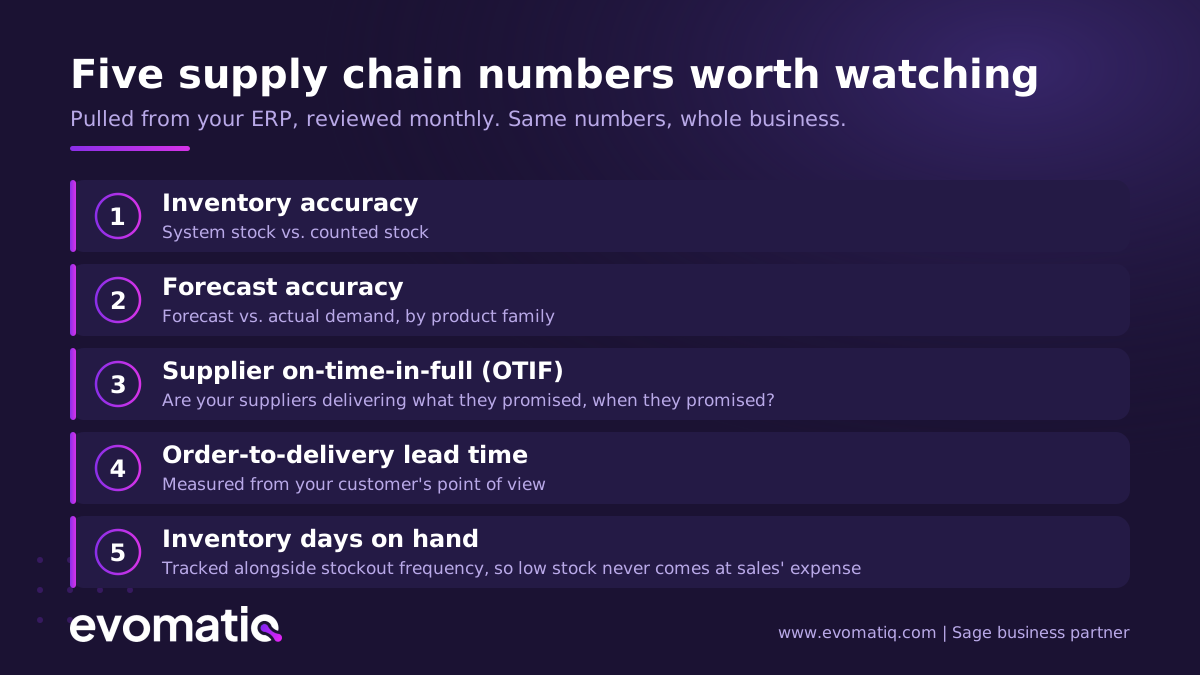
- Inventory accuracy (system stock vs. counted stock)
- Forecast accuracy (forecast vs. actual demand, by product family)
- Supplier on-time-in-full (OTIF)
- Order-to-delivery lead time for your customers
- Inventory days on hand, alongside stockout frequency, so you're not just celebrating low stock while sales suffers
The point of an ERP is not the numbers themselves. It's that everyone is looking at the same numbers, pulled from the transactions themselves rather than assembled by hand after the fact.
What implementation really takes
An honest word before you request any demos. An ERP supply chain project is not a software installation, it is a change to how your team works. Expect to spend real effort on three things:
- Cleaning your master data. Item codes, units of measure, supplier records, bills of material. If these are inconsistent going in, no system will save you.
- Deciding your processes before configuring them. The software will happily automate a bad process.
- Training and the first ninety days. The go-live is the start, not the finish. Budget time for your people to build confidence in the system, or they will quietly return to their spreadsheets.
Done properly, the payoff is durable: [CLIENT RESULT — e.g. "one of our distribution clients cut X to Y" — needs a real, approved figure before publishing].
Where we fit
EvomatiQ is a Dubai-headquartered enterprise software solutions company and an official Sage business partner. We implement and support ERP, CRM, BI, and HRMS solutions for SME and mid-market businesses across the GCC, and we've been doing it since 2017.
If you're weighing up what to automate in your own supply chain, we're happy to talk it through with no pitch attached. Sometimes the right answer is a phased rollout; occasionally it's "fix your data first and call us in six months." We'll tell you either way.
Get in touch: hello@evomatiq.com | evomatiq.com
