
How Sage X3 Orchestrates Your Supply Chain.
Five connected steps, one source of truth — every movement tracked, costed, and visible in real time.


What You Can Run in Sage X3.
Explore the warehouse workflows that keep stock accurate and orders moving.
Know what landed, and where it went.
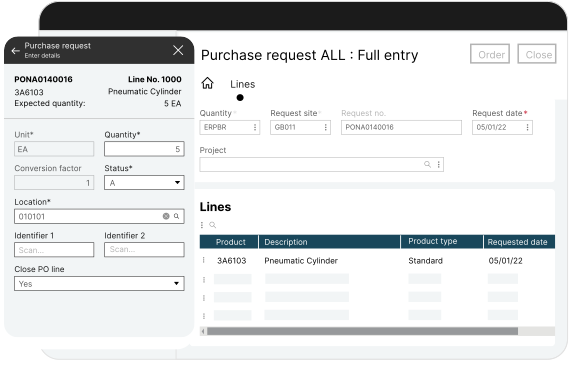
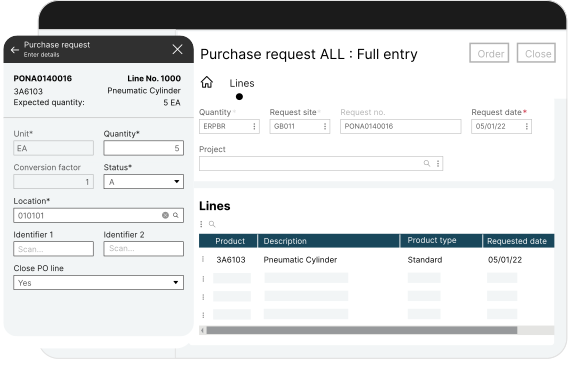
Scan goods against the order on arrival, flag discrepancies immediately, and direct stock to the right location without paperwork.
- Receive against purchase orders by barcode scan
- Flag short, over, and damaged deliveries at the door
- Direct put away by zone, item, or storage rule
- Reflect landed cost in stock value on receipt

Every item has an address.
Map the warehouse the way it actually runs, so anyone can find stock without asking the person who has been there longest.
- Define sites, zones, aisles, and bins to match your layout
- See live stock by location, not just by warehouse
- Move, merge, and transfer stock with a scan
- Restrict locations by item, batch, or storage condition

Get the right stock out the door, faster.
Release and sequence picking work so your team walks less, picks accurately, and ships with paperwork already generated.
- Pick by wave, batch, or zone to suit your order profile
- Confirm every pick by scan to cut mis-picks
- Generate delivery notes and shipping documents automatically
- Invoice directly from the despatch, with no re-keying

Stop shutting down to count.
Count continuously by zone, value, or movement frequency instead of losing days to a full stocktake.
- Schedule counts by ABC class, location, or cycle
- Count on a handheld while the warehouse keeps running
- Investigate variances with full movement history
- Post adjustments to the ledger with an audit trail

Follow every batch, in both directions.
Track lots and serials from supplier to customer, across every warehouse and legal entity you operate.
- Trace forwards and backwards for recalls and audits
- Manage expiry, shelf life, and quality holds
- See consolidated stock across all sites and companies
- Trigger replenishment automatically on min/max rules
Why Businesses Choose Sage X3 for the Warehouse.
Five reasons distributors and manufacturers run warehousing on Sage X3 rather than a standalone WMS. Request a Demo
Warehouse and finance share one database. Nothing to integrate, nothing to reconcile.

Every movement updates stock value and the ledger instantly, with no manual reconciliation.

Scanning built in across receiving, picking, and counting, not a third-party add-on.

Run several warehouses and legal entities with consolidated stock visibility.

A Sage Partner in the UAE since 2017, covering implementation, integration, and support.
Results You Can Measure.
When the floor and finance work as one, performance improves everywhere.























.png)
.png)
.png)
.png)