Skip to content

Analytics That 
Leadership Actually Uses.

Power BI transforms raw data into visual insights that drive decisions. Self-service capability for business users. Enterprise security for IT. Dashboards that update as your business moves.

Power BI Is Right For You If.

Leadership needs better 
visibility into business performance..svg.svg
Leadership needs better visibility into business performance
Your reports are static, manual, and outdated by the time they arrive
Business users want to explore data without IT involvement
You have data in multiple systems that needs unified reporting
You want mobile access to KPIs and dashboards
You use Microsoft 365 and want integrated analytics

What Power BI Delivers.

Interactive Dashboards
TOUCH
Interactive Dashboards

Visual displays that users can filter, drill into, and explore. Not static reports—living views of your data.

Self-Service Analytics
TOUCH
Self-Service Analytics

Business users create their own views without IT involvement. Governed data, user-driven insights.

Real-Time Updates
TOUCH
Real-Time Updates
Real-Time Updates

Dashboards refresh as source data changes. No waiting for overnight batch processes.
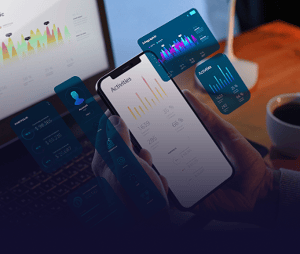
Mobile Access
TOUCH
Mobile Access
Mobile Access

Native mobile apps for iOS and Android. Leadership visibility anywhere.

Enterprise Security
TOUCH
Enterprise Security
Enterprise Security

Role-based access, row-level security, and compliance with organisational policies.

Data Connectivity
TOUCH
Data Connectivity
Data Connectivity

Connectors to virtually any data source. ERP, CRM, databases, spreadsheets, and cloud services.

How Organisations Use Power BI.

Executive Dashboards
KPIs and metrics for leadership review. Financial performance, operational status, and strategic indicators.
Financial Reporting
Financial Reporting
Automated financial statements and variance analysis. Drill from summary to detail.
Operational Analytics
Production metrics, inventory levels, and service performance. Real-time operational visibility.
Sales Analytics
Sales Analytics
Pipeline visibility, conversion tracking, and revenue analysis. Sales leadership and rep-level views.
How We Implement Power BI.

How We Implement Power BI.

Power BI implementation starts with understanding what decisions you need to make and what data supports them. We define metrics, connect data sources, build dashboards, and train your team.

Focused dashboard projects run 6-10 weeks. Comprehensive analytics implementations covering multiple departments may run 3-4 months.

Connecting Power BI to Your Data.

Sage X3
ERP data for financial and operational reporting.
Prophix
Planning and forecast data visualisation.
Microsoft 365
Excel, SharePoint, and Dynamics data.
Databases
SQL Server, Azure, and other databases.
Cloud Services
Salesforce, HubSpot, and other SaaS platforms.
APIs
Custom data sources via REST APIs.

Understanding Power BI Costs.

Power BI licensing is per-user. Implementation investment depends on dashboard complexity and data source connectivity. Budget includes:
Power BI Pro or Premium licensing
Dashboard development
Data source connectivity
Training
Training
Ongoing support and enhancement

Frequently Asked Questions.

Do we need Power BI Pro or Premium? Pro licensing covers most mid-market requirements. Premium is appropriate for larger organisations with extensive sharing needs or advanced features. We advise based on your situation.
Can business users build their own reports? Yes. Self-service is a core Power BI capability. We train power users to create views while maintaining governance over data definitions.
How does Power BI connect to our ERP? Power BI includes connectors for most ERP systems including Sage. We configure secure, reliable data connections during implementation.
How quickly can we have dashboards live? Focused projects can deliver initial dashboards in 6-10 weeks. We prioritise high-impact views first.
What about data security? Power BI includes comprehensive security: authentication, row-level security, and compliance certifications. We configure security as part of implementation.

See Power BI in Action.

Request a demo to see dashboards built on data like yours. Or book a Fit Call to discuss your analytics requirements.